How Will Smart TV Breakthroughs Influence Leadership Goals?
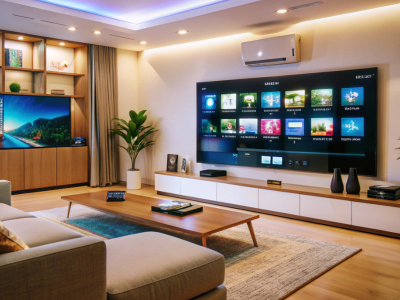
In our modern, high-speed business world, the smart TV has evolved from a simple screen into a sophisticated, connected workstation that sits right at the heart of our most private spaces. Whether it is a display in a corporate boardroom or a hub in a professional home office, these devices bridge the gap between relaxation and high-stakes productivity. However, this seamless connectivity brings a new set of responsibilities. As industry leaders, it is essential to recognize that a connected television is more than just a piece of furniture; it is a specialized computer that requires the same level of care as a laptop or a secure smartphone.
Imagine a high-performance network where every entry point is shielded. In this virtual landscape, a smart TV acts as a window, and if left unlatched, it can become a vulnerability for your entire digital ecosystem. This guide provides a strategic, common-sense approach to mastering your connected television environment, grounded in the reliable principles shared by the Federal Trade Commission (FTC). We will explore how to protect your privacy, optimize energy use, and ensure that your technology serves you without compromise.
Why Every Smart TV Choice Impacts Your Business Integrity
For the modern leader, the decision to install a smart TV ripples through their personal and professional security posture. These screens often sit on the same Wi-Fi network as the devices used for banking, confidential emails, and sensitive strategy documents. As the smart TV market continues to grow at a robust rate, as a result of rising streaming consumption, smart home integration, and advancements in display technology, the number of connected screens within homes and offices is expanding rapidly. If a smart TV is misconfigured, it can inadvertently weaken the walls protecting your home or office. By treating it with the same discipline as any other asset, changing default settings and keeping software current, you block the path for unwanted intrusions.
Beyond security, there is the matter of operational uptime. A well-tuned networked screen runs more smoothly, suffers from fewer software glitches, and consumes less energy over time. Simple actions, like managing background apps and disabling features you never use, compound into a more stable and reliable experience. It is about moving from being a passive viewer to an active, informed owner of your technology.
The Foundation: Building a Secure Perimeter
The journey to a resilient connected television environment starts at the very beginning of the setup process. Most devices come out of the box with factory settings designed for convenience, not safety. As a leader, your first move should be to reclaim control over these defaults.
The Day-One Strategy:
- Update Immediately: Before you sign into a single streaming service, ensure your smart TV firmware is running the latest version. These updates often contain critical patches that close digital backdoors.
- Strong Credentials: Never leave the default password in place. Use a unique, robust passphrase for your connected television account, and enable multi-factor authentication if the manufacturer provides it.
- Lean Installations: Review the list of pre-installed apps. If you do not need a specific gaming or news channel, remove it. A leaner smart TV is a faster, safer device.
- Disable the Unnecessary: Features like remote management or always-on microphones can be useful, but if you don’t have a specific need for them, it is best to turn them off until they are required.
Thinking Like a Network Architect
The true strength of a smart TV strategy lies in how it interacts with your broader network. One of the most effective moves a professional can make is to isolate their entertainment devices. Most modern routers allow you to create a guest or a dedicated IoT network. By placing your connected television on this separate lane, you ensure that even if the screen encounters a problem, your primary work devices remain untouched.
This router-first thinking hardens the gateway that all your streaming traffic crosses. It provides long-term peace of mind, allowing you to enjoy a high-definition experience without worrying about lateral risks to your professional data. It is a small investment of time that pays massive dividends in security.
Privacy Hygiene: Managing Your Digital Footprint
A smart TV is capable of learning a great deal about its environment, from your favorite shows to the metadata of the devices nearby. While this helps provide better recommendations, it is important to decide how much data sharing fits your comfort level. Take a moment to explore the privacy dashboard of your connected television to limit ad tracking and data collection whenever possible.
Treat the integrated microphones and cameras with care. If your streaming platform interface includes a voice assistant, consider muting the microphone when it is not in use. You can still enjoy the benefits of a hands-free interface while ensuring that your private conversations remain just that, private.
Performance and Longevity Through Tidy Habits
Good security and high performance are two sides of the same coin. A smart TV that is cluttered with unused apps and outdated software will inevitably become sluggish. By keeping the storage clear and scheduling updates for off-peak hours, you ensure that the screen is always ready for your next presentation or family movie night.
Routine Maintenance Checklist:
- Quarterly App Review: Once every few months, go through your connected television library and delete anything you haven’t used. This keeps the processor focused on what matters.
- Storage Management: Avoid filling the internal memory to the limit. A display unit needs a little breathing room to handle updates and cache streaming data effectively.
- Power Cycles: If the interface feels laggy, a simple restart of both the router and the smart TV can often clear up lingering bugs and connection issues.
Setting a Household Policy
For those who share their space with family or guests, setting basic rules for the networked screen is essential. Decide who has the authority to install new apps or make subscriptions. Use built-in parental controls and PINs to lock down purchase settings and key privacy toggles. This prevents surprise charges and keeps your personalized recommendations from drifting.
When guests arrive, instead of sharing your primary credentials, set up a guest profile on the smart TV. Once they leave, you can simply delete the profile, clearing their watch history and keeping your own account private. It is a professional way to provide hospitality without compromising your digital boundaries.
Choosing the Right Technology Partner
When the time comes to upgrade your smart TV, look beyond the screen size and resolution. Evaluate the manufacturer’s commitment to longevity. Does the brand have a clear policy for software updates? Is there a simple, transparent privacy dashboard? A connected television model from a vendor that prioritizes regular patches and secure defaults is a much better long-term investment.
Pairing a high-quality networked screen with a modern, encrypted router gives you the performance and control you need from the very first day. It ensures that your technology remains an asset that enhances your life, rather than a task that requires constant worry.
The Final Outlook: A Future-Ready Living Room
As we move toward an increasingly connected future, the smart TV will continue to play a pivotal role in how we consume information and interact with the world. By managing these devices with intent, focusing on router security, strong credentials, and lean app management, you create a resilient foundation for your digital life.
Following these practical, FTC-aligned habits ensures that your networked screen stays dependable and enjoyable. It allows you to embrace the incredible convenience of modern streaming while maintaining the high standards of privacy and security that your professional life demands. With the right approach, your screen remains a window to a world of inspiration, safely anchored within your secure home or office.